Default Request Settings
Request Settings establish Solo’s default behavior for every network call. These values apply globally, but can be overridden for individual requests or specific Hosts.
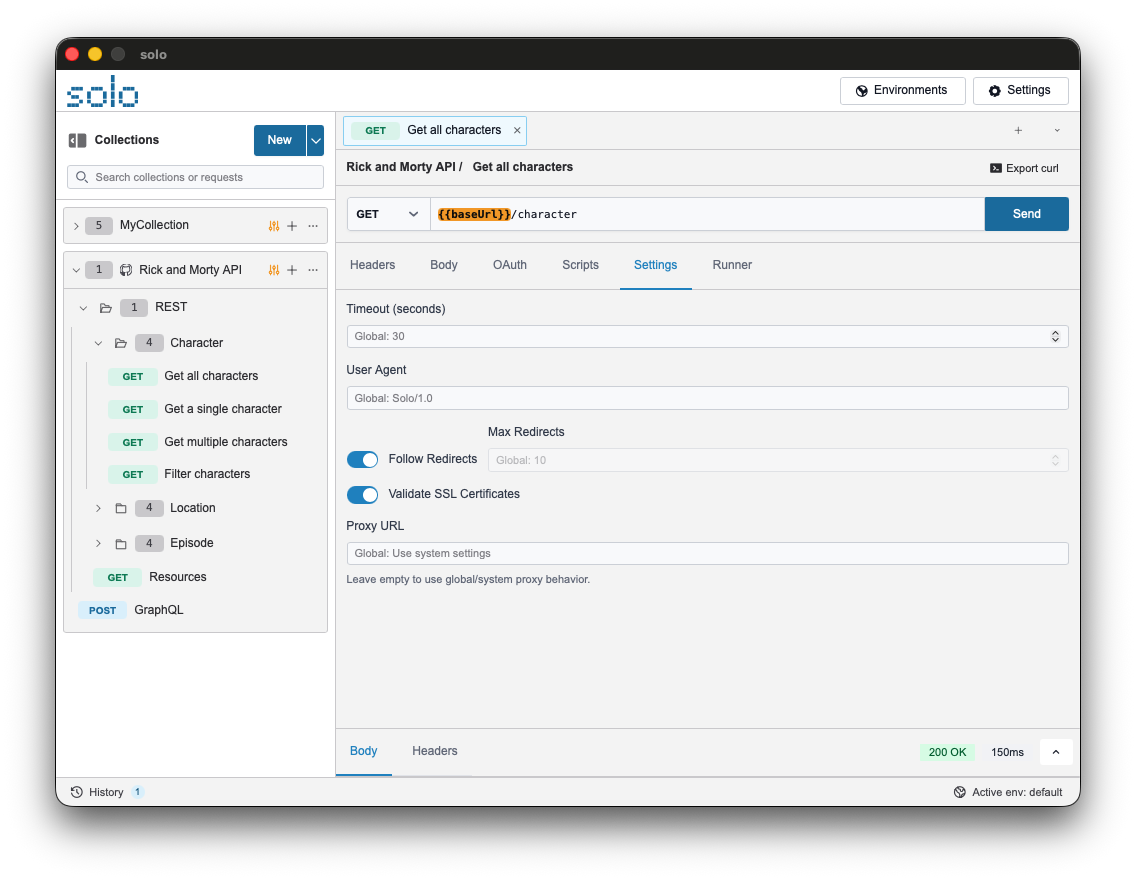
Network Parameters
Section titled “Network Parameters”| Setting | Description | Default |
|---|---|---|
| Timeout (Seconds) | Maximum time to wait before cancelling the request. | 30 |
| Follow Redirects | Enables automatic tracking of HTTP redirects (e.g., 301, 302). | true |
| Max Redirects | Maximum limit of consecutive redirects to prevent loops. | 10 |
| Validate SSL | If disabled, Solo ignores certificate errors (Insecure Skip Verify). | true |
| Proxy URL | Proxy server address for routing traffic (e.g., http://localhost:8888). | (Empty) |
| Default User-Agent | User-Agent header sent with every request. | Solo/version |
Overriding Logic (Cascading)
Section titled “Overriding Logic (Cascading)”Solo applies a cascading configuration logic:
- Global: Settings defined in this section.
- Host: Specific settings for a domain (if configured).
- Request: Options defined in the “Settings” tab of a specific request.